• Skip to main content
  • Skip to forum navigation

StudioPress

  • Shop for Themes
  • My StudioPress

Forum navigation

  • Home
  • General Genesis Discussions
  • StudioPress Themes
  • Genesis Blocks
    • Genesis Blocks
    • Genesis Custom Blocks
  • Retired Themes
  • FAQs
  • Forum Rules
  • Internationalization and Translations
  • Forum Bugs and Suggestions
  • Forum Log In

Are You Using The WordPress Block Editor?

Genesis now offers plugins that help you build better sites faster with the WordPress block editor (Gutenberg). Try the feature-rich free versions of each plugin for yourself!

Genesis Blocks Genesis Custom Blocks

bad link on a page of yoursa

Welcome!

These forums are for general discussion on WordPress and Genesis. Official support for StudioPress themes is offered exclusively at My StudioPress. Responses in this forum are not guaranteed. Please note that this forum will require a new username, separate from the one used for My.StudioPress.

Log In
Register Lost Password

Community Forums › Forums › Archived Forums › General Discussion › bad link on a page of yoursa

This topic is: not resolved

Tagged: bad link on

  • This topic has 5 replies, 3 voices, and was last updated 8 years, 1 month ago by Andrea Rennick.
Viewing 6 posts - 1 through 6 (of 6 total)
  • Author
    Posts
  • March 3, 2018 at 6:01 pm #217273
    Al Guevara
    Member

    This page:
    https://my.studiopress.com/documentation/frequently-asked-questions/genesis-framework-faqs/how-can-i-get-my-site-to-look-like-the-child-theme-demo/

    Bad link on "StudioPress Theme Setup Guides" and "Third Party Theme Setup Guides"

    https://my.studiopress.com/documentation/frequently-asked-questions/genesis-framework-faqs/how-can-i-get-my-site-to-look-like-the-child-theme-demo/
    March 4, 2018 at 7:30 am #217277
    Victor Font
    Moderator

    If you need to access the theme setup guides, they are here: https://my.studiopress.com/themes-design/studiopress-setup-guides/.

    This forum is not monitored by Studio Press staff. To report the issue please contact Studio Press directly. https://www.studiopress.com/contact/


    Regards,

    Victor
    https://victorfont.com/
    Call us toll free: 844-VIC-FONT (842-3668)
    Have you requested your free website audit yet?

    March 4, 2018 at 8:13 am #217281
    Al Guevara
    Member

    I will, thanks Vic.

    March 4, 2018 at 9:15 am #217284
    Al Guevara
    Member

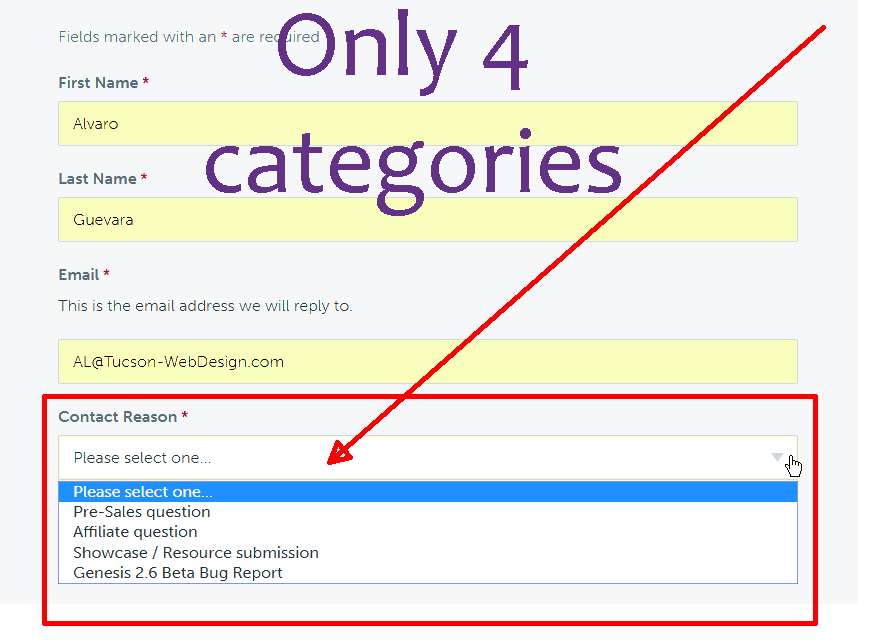
    Only reason I dislike contacting SP is limited category choice, as if THEY dont want ppl to contact them.
    <img src="http://imageshack.com/a/img922/674/HXxf1n.png" alt="not category choices">
    http://imageshack.com/a/img922/674/HXxf1n.png

    March 4, 2018 at 9:24 am #217285
    Al Guevara
    Member

    not enough category choices

    March 4, 2018 at 9:39 am #217287
    Andrea Rennick
    Member

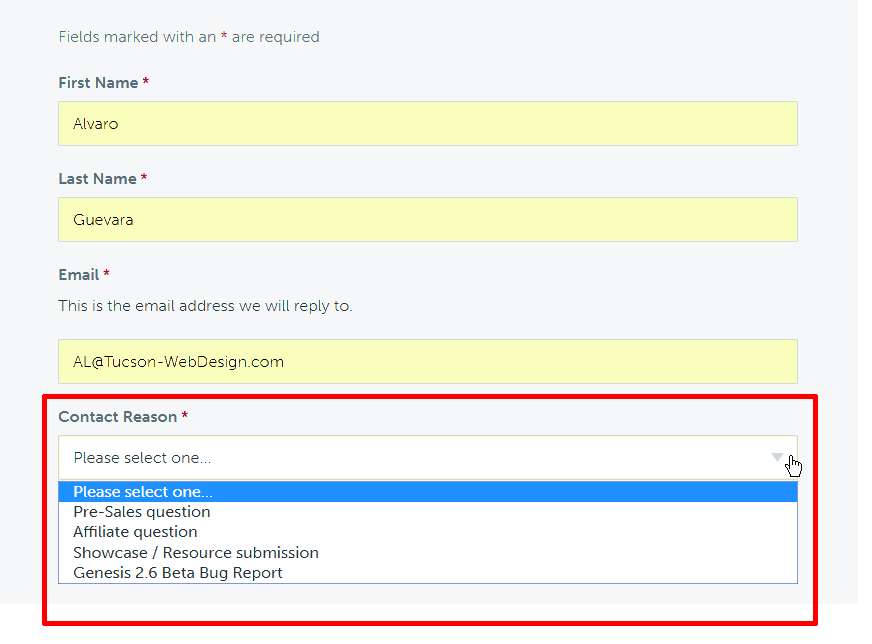
    That screenshot is our general contact page for people who are not customers yet.

    Please log in to the support area at http://my.studiopress.com/support/

    You will see numerous options to file a ticket. In addition, if you don't feel you chose the "right" category it still comes in to our help desk and we still address it accordingly.


    **forum signature**
    If you need technical support for your theme please file a ticket.

    The forums are community based. Staff only monitors the forum for issues relating to the forum itself and to redirect users to where they need to go.

  • Author
    Posts
Viewing 6 posts - 1 through 6 (of 6 total)
  • The forum ‘General Discussion’ is closed to new topics and replies.

CTA

Ready to get started? Create a site or shop for themes.

Create a site with WP EngineShop for Themes

Footer

StudioPress

© 2026 WPEngine, Inc.

Products
  • Create a Site with WP Engine
  • Shop for Themes
  • Theme Features
  • Get Started
  • Showcase
Company
  • Brand Assets
  • Terms of Service
  • Accptable Usse Policy
  • Privacy Policy
  • Refund Policy
  • Contact Us
Community
  • Find Developers
  • Forums
  • Facebook Group
  • #GenesisWP
  • Showcase
Resources
  • StudioPress Blog
  • Help & Documentation
  • FAQs
  • Code Snippets
  • Affiliates
Connect
  • StudioPress Live
  • StudioPress FM
  • Facebook
  • Twitter
  • Dribbble