Community Forums › Forums › Archived Forums › Design Tips and Tricks › Altitude Pro Featured Section 1 Image Too Dark
- This topic has 9 replies, 2 voices, and was last updated 11 years, 3 months ago by
tfmwa.
-
AuthorPosts
-
March 22, 2015 at 7:44 am #145190
bleubeard
MemberHow do I brighten it up? I like the fact that it darkens as you scroll, but I would like it to be at full brightness when you first load the page. It goes straight to 50% (~) darker, to 100% opaque when you have finished scrolling.
March 22, 2015 at 10:10 am #145197tfmwa
ParticipantThis question has been answered before here:
Read the following article about CSS gradients to understand how they work:
http://www.w3schools.com/css/css3_gradients.aspIn the Altitude Pro style.css Front Page section you'll find:
.image-section {
background: -moz-linear-gradient(top, rgba(0,0,0,0.2) 0%, rgba(0,0,0,0.5) 30%, rgba(0,0,0,0.8) 80%, rgba(0,0,0,0.9) 100%);
background: -webkit-gradient(linear, left top, left bottom, color-stop(0%,rgba(0,0,0,0.2)), color-stop(30%,rgba(0,0,0,0.5)), color-stop(80%,rgba(0,0,0,0.8)), color-stop(100%,rgba(0,0,0,0.9)));
background: -webkit-linear-gradient(top, rgba(0,0,0,0.2) 0%,rgba(0,0,0,0.5) 30%,rgba(0,0,0,0.8) 80%,rgba(0,0,0,0.9) 100%);
background: -o-linear-gradient(top, rgba(0,0,0,0.2) 0%,rgba(0,0,0,0.5) 30%,rgba(0,0,0,0.8) 80%,rgba(0,0,0,0.9) 100%);
background: -ms-linear-gradient(top, rgba(0,0,0,0.2) 0%,rgba(0,0,0,0.5) 30%,rgba(0,0,0,0.8) 80%,rgba(0,0,0,0.9) 100%);
background: linear-gradient(to bottom, rgba(0,0,0,0.2) 0%,rgba(0,0,0,0.5) 30%,rgba(0,0,0,0.8) 80%,rgba(0,0,0,0.9) 100%);
filter: progid:DXImageTransform.Microsoft.gradient( startColorstr='#33000000', endColorstr='#e6000000',GradientType=0 );
display: table;
overflow: hidden;
table-layout: fixed;
width: 100%;
}Play around with the number values - particularly the last one after all the zeros - (and perhaps even percentages) to achieve the effect you want.
Always make a backup of your website and current css file before making any changes.
March 22, 2015 at 1:23 pm #145214Memberthanks!
March 22, 2015 at 1:56 pm #145218MemberI haven't been able to actually make this work.
As in the thread, I changed the rgba everything to 255,255,255,0 (white) for everything, and that didn't work.
I also kept the rgba as black (0,0,0,0), and lowered the last number to 0, and switched it to 0%, and that did work. Am I missing something? I would even be ok with removing the gradient at this point.
.image-section {
background: -moz-linear-gradient(top, rgba(0,0,0,0.2) 0%, rgba(0,0,0,0.5) 30%, rgba(0,0,0,0.8) 80%, rgba(0,0,0,0.9) 100%);
background: -webkit-gradient(linear, left top, left bottom, color-stop(0%,rgba(0,0,0,0.2)), color-stop(30%,rgba(0,0,0,0.5)), color-stop(80%,rgba(0,0,0,0.8)), color-stop(100%,rgba(0,0,0,0.9)));
background: -webkit-linear-gradient(top, rgba(0,0,0,0.2) 0%,rgba(0,0,0,0.5) 30%,rgba(0,0,0,0.8) 80%,rgba(0,0,0,0.9) 100%);
background: -o-linear-gradient(top, rgba(0,0,0,0.2) 0%,rgba(0,0,0,0.5) 30%,rgba(0,0,0,0.8) 80%,rgba(0,0,0,0.9) 100%);
background: -ms-linear-gradient(top, rgba(0,0,0,0.2) 0%,rgba(0,0,0,0.5) 30%,rgba(0,0,0,0.8) 80%,rgba(0,0,0,0.9) 100%);
background: linear-gradient(to bottom, rgba(0,0,0,0.2) 0%,rgba(0,0,0,0.5) 30%,rgba(0,0,0,0.8) 80%,rgba(0,0,0,0.9) 100%);
filter: progid:DXImageTransform.Microsoft.gradient( startColorstr='#33000000', endColorstr='#e6000000',GradientType=0 );
display: table;
overflow: hidden;
table-layout: fixed;
width: 100%;
}March 22, 2015 at 2:24 pm #145223ParticipantThe code you posted looks the same as the original as far as I can see?
I've tested the following code on the Altitude Pro site I'm currently working on. And it removed the gradient completely as the transparency is set to 100% (by changing ALL the x.x values before the closing brackets to 0).
Only changing the values for the first background line did not work in either Chrome or IE.
Once I changed ALL the transparency values, it worked.You can 'find & replace all' the four x.x values to avoid making mistakes.
.image-section {
background: -moz-linear-gradient(top, rgba(0,0,0,0) 0%, rgba(0,0,0,0) 30%, rgba(0,0,0,0) 80%, rgba(0,0,0,0) 100%);
background: -webkit-gradient(linear, left top, left bottom, color-stop(0%,rgba(0,0,0,0)), color-stop(30%,rgba(0,0,0,0)), color-stop(80%,rgba(0,0,0,0)), color-stop(100%,rgba(0,0,0,0)));
background: -webkit-linear-gradient(top, rgba(0,0,0,0) 0%,rgba(0,0,0,0) 30%,rgba(0,0,0,0) 80%,rgba(0,0,0,0) 100%);
background: -o-linear-gradient(top, rgba(0,0,0,0) 0%,rgba(0,0,0,0) 30%,rgba(0,0,0,0) 80%,rgba(0,0,0,0) 100%);
background: -ms-linear-gradient(top, rgba(0,0,0,0) 0%,rgba(0,0,0,0) 30%,rgba(0,0,0,0) 80%,rgba(0,0,0,0) 100%);
background: linear-gradient(to bottom, rgba(0,0,0,0) 0%,rgba(0,0,0,0) 30%,rgba(0,0,0,0) 80%,rgba(0,0,0,0) 100%);
filter: progid:DXImageTransform.Microsoft.gradient( startColorstr=’#33000000′, endColorstr=’#e6000000′,GradientType=0 );
display: table;
overflow: hidden;
table-layout: fixed;
width: 100%;
}
Please replace the corresponding section of code in your css file with the code provided above.
Be sure to save your changes if using the Editor screen in WordPress. Or overwrite the css file on your server if you're using an FTP program.Then open an incognito window of the browser of your choice and open your site again to compare.
CTRL+F5 a couple of times even in incognito just to be sure.The background images should be displayed clear/normal without any type of gradient using the code above.
This makes it easy to see the difference compared to the original settings. Once you confirm it's working, you can tweak the transparency values to something more suitable.March 22, 2015 at 3:01 pm #145230MemberWow, thank you so much for all the time you have taken to reply!
Sadly, it just won't seem to work -- I might be explaining myself incorrectly. We are talking about the image, right? Here is the site after I inserted the code:
colleges4us.com
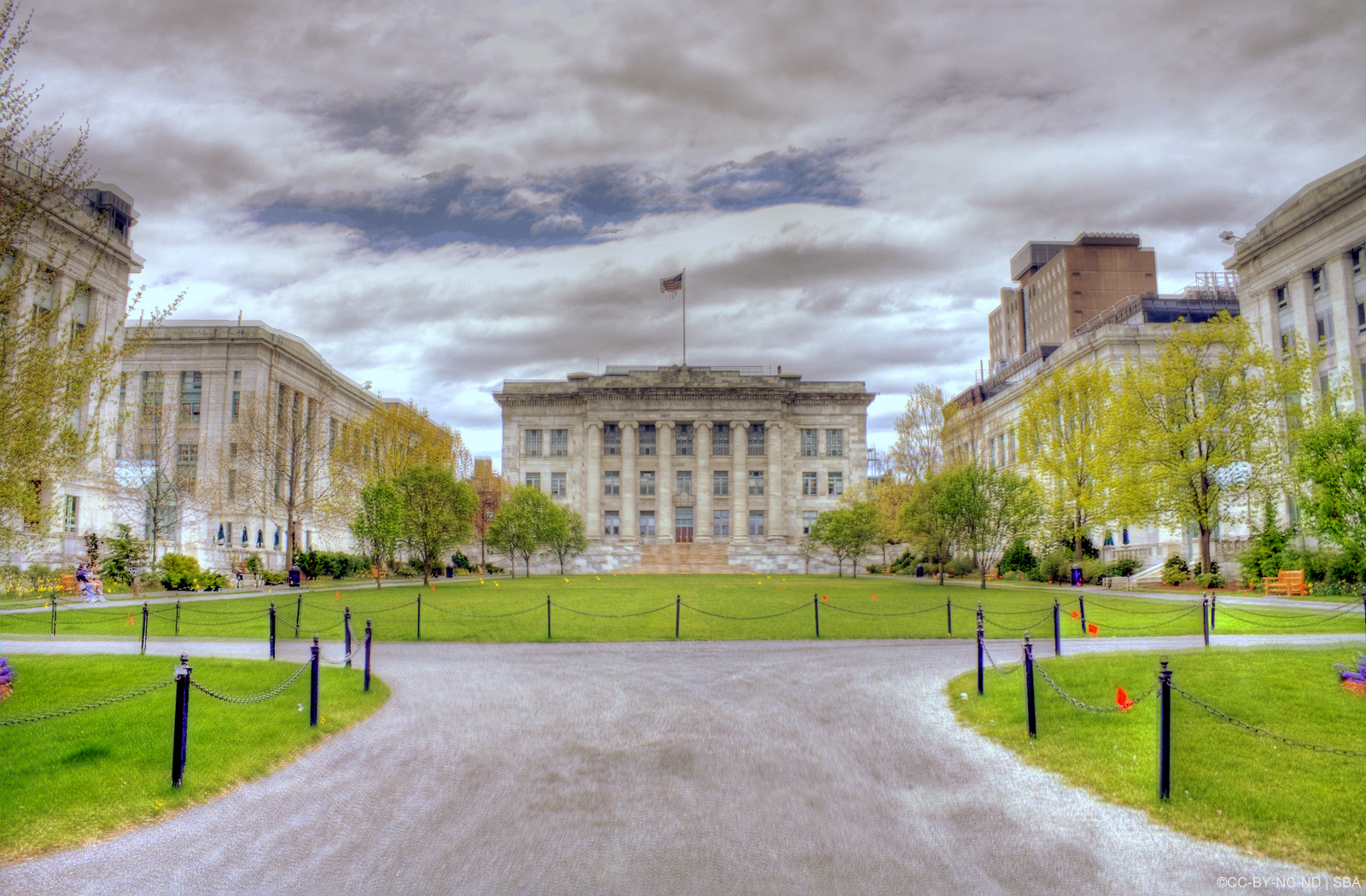
Though it is still dark, the actual image is very bright -- it can be seen here:
http://upload.wikimedia.org/wikipedia/commons/3/38/Harvard_Medical_School.JPG
I would be happy to share my login details with you -- my email is [email protected].
Why do you think it is still dark??
March 22, 2015 at 3:19 pm #145233ParticipantI cannot see any changed code related to this issue in your active css file.
Please describe how you're trying to apply these changes in detail.March 22, 2015 at 6:00 pm #145245MemberThanks for that feedback -- the changes seem then not to be propagating. I used your code (below).
I replaced the original code with your code and saved the changes in the styles.css sheet. The original code is gone, yet no matter how often I delete cookies or open the site in incognito mode, the changes don't seem to propagate. Weird.
.image-section {
background: -moz-linear-gradient(top, rgba(0,0,0,0) 0%, rgba(0,0,0,0) 30%, rgba(0,0,0,0) 80%, rgba(0,0,0,0) 100%);
background: -webkit-gradient(linear, left top, left bottom, color-stop(0%,rgba(0,0,0,0)), color-stop(30%,rgba(0,0,0,0)), color-stop(80%,rgba(0,0,0,0)), color-stop(100%,rgba(0,0,0,0)));
background: -webkit-linear-gradient(top, rgba(0,0,0,0) 0%,rgba(0,0,0,0) 30%,rgba(0,0,0,0) 80%,rgba(0,0,0,0) 100%);
background: -o-linear-gradient(top, rgba(0,0,0,0) 0%,rgba(0,0,0,0) 30%,rgba(0,0,0,0) 80%,rgba(0,0,0,0) 100%);
background: -ms-linear-gradient(top, rgba(0,0,0,0) 0%,rgba(0,0,0,0) 30%,rgba(0,0,0,0) 80%,rgba(0,0,0,0) 100%);
background: linear-gradient(to bottom, rgba(0,0,0,0) 0%,rgba(0,0,0,0) 30%,rgba(0,0,0,0) 80%,rgba(0,0,0,0) 100%);
filter: progid:DXImageTransform.Microsoft.gradient( startColorstr=’#33000000′, endColorstr=’#e6000000′,GradientType=0 );
display: table;
overflow: hidden;
table-layout: fixed;
width: 100%;
}March 22, 2015 at 7:19 pm #145257MemberThanks for all of your help, tfmwa. It turns out that my styles.css sheet wasn't updating because my server heavily caches everything static, like css. You're awesome!!
March 23, 2015 at 3:17 am #145290ParticipantGlad to hear you found the cause of the issue. 🙂
-
AuthorPosts
- The forum ‘Design Tips and Tricks’ is closed to new topics and replies.