Community Forums › Forums › Archived Forums › Design Tips and Tricks › Reduce Padding on Altitude Pro Homepage Widget Areas
- This topic has 5 replies, 3 voices, and was last updated 9 years, 12 months ago by
carolacat.
-
AuthorPosts
-
June 4, 2015 at 7:45 pm #154929
jeepkid99
MemberLooking for help reducing the massive padding on top and bottom of each "widget area" on the homepage for Altitude Pro. Each widget is labeled "Front Page-1, Front Page-2" etc., and each seem to be clumped in the code. I just can't figure it out. Also, not sure if it is padding or a border that is transparent. Any help would be greatly appreciated! The area specifically is the area below the "contact us today" hyperlink, not the button and the "mobile responsive design, Insurance Newsletters and Search Engine Optimization."
Thanks community!
http://rusteration.comJune 4, 2015 at 8:06 pm #154939Erik D. Slater
MemberIt's not clear what you're after here.
Are you talking about the spacing above "BEGIN YOUR BEST YEAR EVER" and below the "CONTACT US TODAY!" link-not-button? Or just the spacing around the "CONTACT US TODAY!" link-not-button?
Note that the height of the widget area varies ... and gets updated via this JavaScript resource ...
A screenshot that marks the areas of concern would be absolutely groovy at this point ...
Erik D. Slater: Digital Platform Consultant • LinkedInJune 5, 2015 at 10:30 am #154997jeepkid99
MemberI uploaded a screenshot to the site as I wasn't sure how to add one here. Thaks for the help!
January 21, 2016 at 6:27 am #177072carolacat
MemberHi I am having the exact same issue from what I can gather.
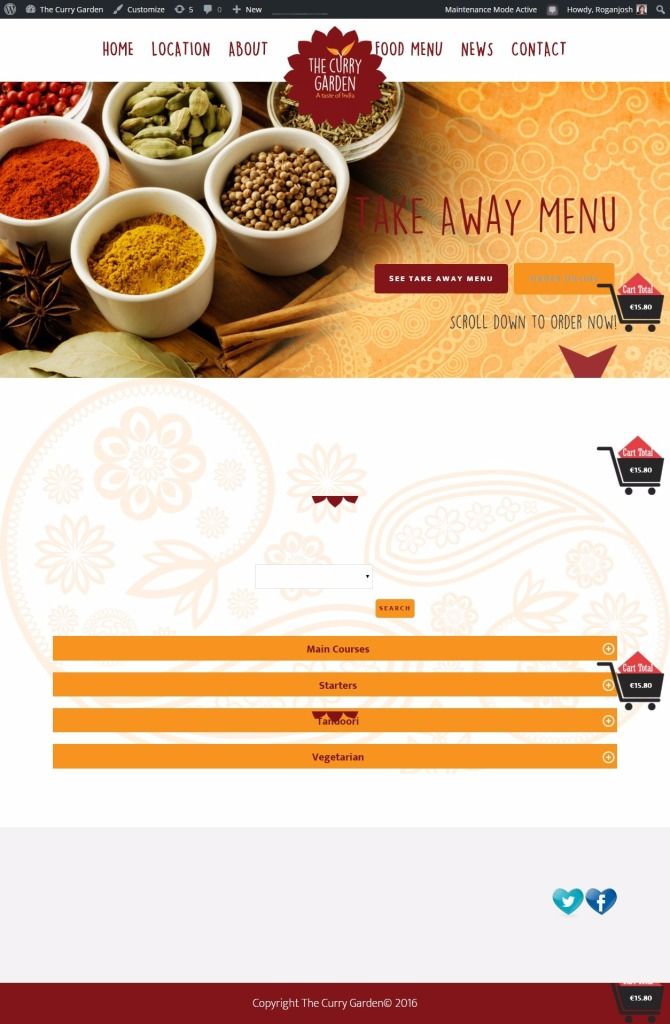
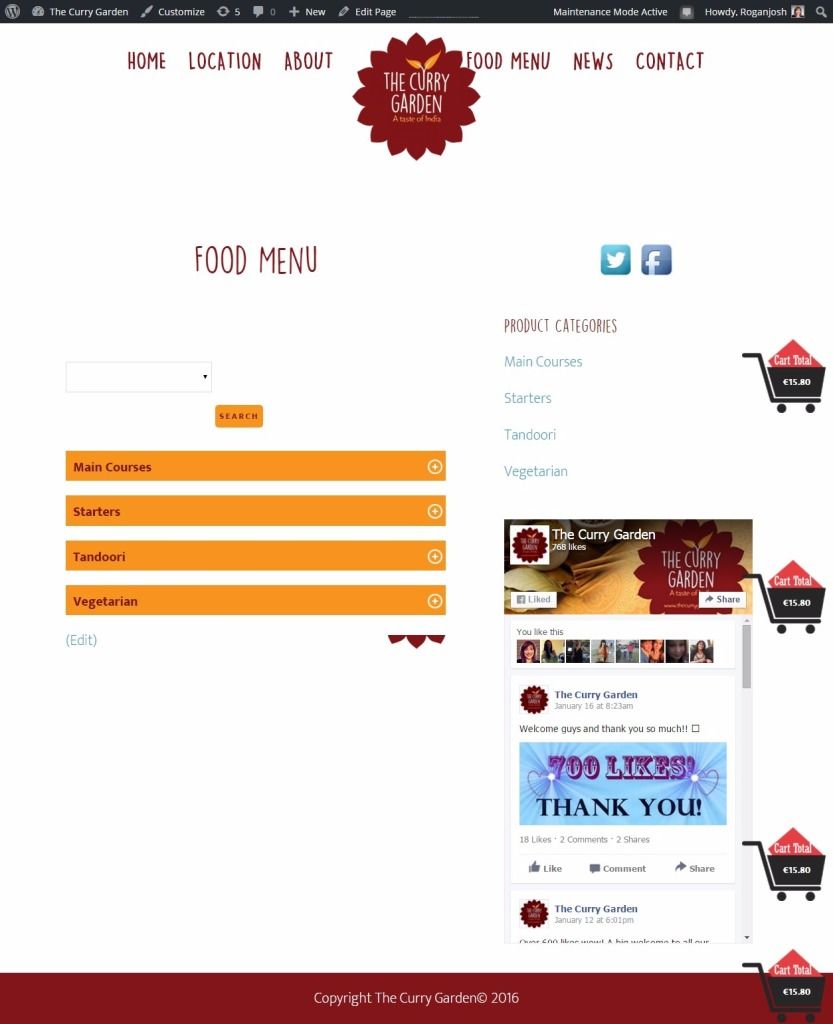
I thought it looked as though the homepage widgets were very or too well spaced apart. The I realised that the padding on the top of pages is alot see screenshot...
http://i464.photobucket.com/albums/rr6/Carol_Faughnan/1453378965071screensave_zpsym8qc4vr.jpeghttp://i464.photobucket.com/albums/rr6/Carol_Faughnan/1453379099837screensave_zpsncymoc0n.jpeg
Any ideas anyone?
thanks in advance (sorry the page is closed off as the site isn't live) http://www.thecurrygarden.ie
January 21, 2016 at 10:45 am #177091jeepkid99
MemberTo be honest, I never was able to get this to work, so changed up the design slightly and used the Agency Pro theme which is similar and allowed for better customization based off of my clients needs. Every time I fiddled with one padding area, it threw off another on this theme. Not sure why. Best of luck, wish I had an answer for you about this one! I would recommend starting a new thread with your description of the exact problem you're having. It would be more likely to get answered in a fresh tread.
January 21, 2016 at 4:06 pm #177115carolacat
MemberAh that is such a pity. Thanks for your reply all the same. I'll keep at it as I hate to abandon this theme especially as I have already made customisations.
(By the way, you can upload an image to photobucket and then post the link to the image in the forums here)
Rgds,
Carol
-
AuthorPosts
- The forum ‘Design Tips and Tricks’ is closed to new topics and replies.