• Skip to main content
  • Skip to forum navigation

StudioPress

  • Shop for Themes
  • My StudioPress

Forum navigation

  • Home
  • General Genesis Discussions
  • StudioPress Themes
  • Genesis Blocks
    • Genesis Blocks
    • Genesis Custom Blocks
  • Retired Themes
  • FAQs
  • Forum Rules
  • Internationalization and Translations
  • Forum Bugs and Suggestions
  • Forum Log In

Are You Using The WordPress Block Editor?

Genesis now offers plugins that help you build better sites faster with the WordPress block editor (Gutenberg). Try the feature-rich free versions of each plugin for yourself!

Genesis Blocks Genesis Custom Blocks

New theme not displaying properly

Welcome!

These forums are for general discussion on WordPress and Genesis. Official support for StudioPress themes is offered exclusively at My StudioPress. Responses in this forum are not guaranteed. Please note that this forum will require a new username, separate from the one used for My.StudioPress.

Log In
Register Lost Password

Community Forums › Forums › Archived Forums › Design Tips and Tricks › New theme not displaying properly

This topic is: resolved

Tagged: expose, New Theme

  • This topic has 2 replies, 2 voices, and was last updated 12 years, 3 months ago by Christina.
Viewing 3 posts - 1 through 3 (of 3 total)
  • Author
    Posts
  • November 5, 2013 at 3:54 pm #71119
    Christina
    Participant

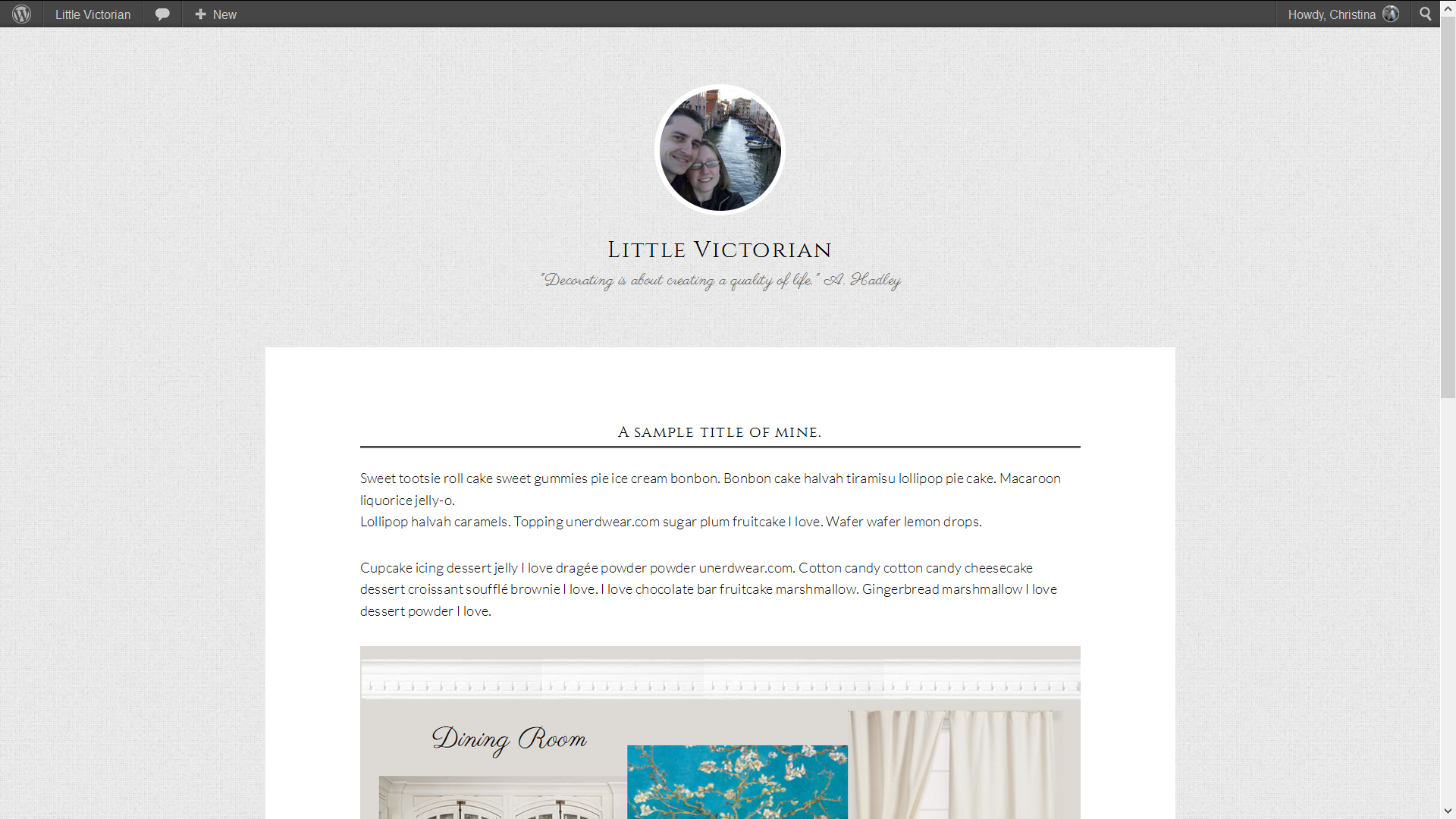
    I purchased the new Expose theme and made a few very minor edits locally (like fonts and such). This is what it looked like locally:

    Local

    And this is what it looked like when I activated it on the live blog:

    Live

    Obviously, it's not active now, because it's horrible. 🙂 Has anyone had experience like this before? Any ideas of what is going wrong?

    http://www.littlevictorian.com
    November 5, 2013 at 8:03 pm #71164
    nutsandbolts
    Member

    Did you check the widget areas after you activated? Sometimes if I switch from one Genesis theme to another, all the former sidebar widgets go into the Header Right widget area and make everything look crazy. Also, if there is any kind of caching in place (a plugin, a CDN, Cloudflare, etc.) be sure to empty caches as soon as you change the theme. Finally, check the Genesis theme settings (specifically the header and footer scripts area toward the bottom) to be sure there are no CSS rules in there. I've seen people add CSS in that area, which would act on the new child theme regardless of what's in the stylesheet.

    Oh, and if the site owner has Jetpack and its custom CSS option activated, check there (Appearance > Custom CSS) to be sure that's empty as well.


    Andrea Whitmer, Owner/Developer, Nuts and Bolts Media
    I provide development and training services for designers • Find me on Twitter and Google+

    November 6, 2013 at 4:56 am #71223
    Christina
    Participant

    Thanks Andrea! It turns out I hadn't updated Genesis to 2.0.1 yet. Oops. It all works now.

    But I will keep all that in mind, because I've had header thing happen on other sites before, and didn't realize it was the widgets.

  • Author
    Posts
Viewing 3 posts - 1 through 3 (of 3 total)
  • The topic ‘New theme not displaying properly’ is closed to new replies.

CTA

Ready to get started? Create a site or shop for themes.

Create a site with WP EngineShop for Themes

Footer

StudioPress

© 2026 WPEngine, Inc.

Products
  • Create a Site with WP Engine
  • Shop for Themes
  • Theme Features
  • Get Started
  • Showcase
Company
  • Brand Assets
  • Terms of Service
  • Accptable Usse Policy
  • Privacy Policy
  • Refund Policy
  • Contact Us
Community
  • Find Developers
  • Forums
  • Facebook Group
  • #GenesisWP
  • Showcase
Resources
  • StudioPress Blog
  • Help & Documentation
  • FAQs
  • Code Snippets
  • Affiliates
Connect
  • StudioPress Live
  • StudioPress FM
  • Facebook
  • Twitter
  • Dribbble